16:9 REFERENCE
A2O LITE NEON
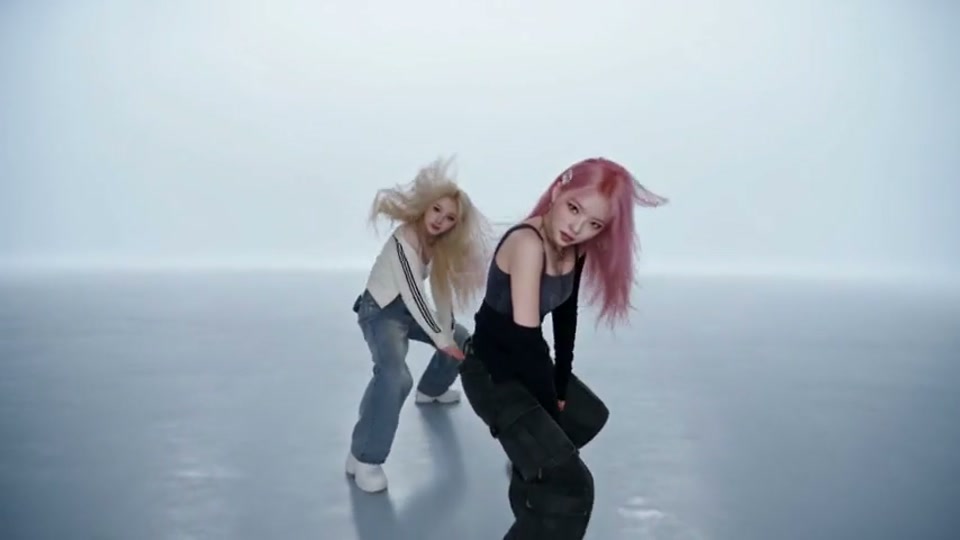
SelectedCool white lighting, expressive movement, and a sleek studio backdrop.
The viral NEON dance trend stands out for its confident duo formation, sharply synchronized steps, expressive pose changes, and styling made to catch the eye on replay. Add one photo for each dancer, choose a scene, and let AI turn the choreography into a 15-second synchronized duo video in portrait or landscape format, based on your selected scene—no filming or dance practice needed.
Add one clear photo of each person.
Use one photo for each person. A clear face helps the result look more like them; a full-body or knees-up photo also gives the AI more detail about hair and clothing. The scene guides the shared dance, but the result can vary. If a confirmed technical failure prevents generation, reserved credits are returned. Uncertain tasks are checked before credits are changed.
Preview each scene, pick a dance style, and make the duo video yours.
Cool white lighting, expressive movement, and a sleek studio backdrop.
A violet backdrop, playful duo moves, and a close-up entrance.
Glowing arches, a pastel stage, and a playful dance pairing.
A clean studio, full-body framing, and coordinated duo steps.
A NEON dance reference with its own choreography and camera movement.
A bright studio, plush-inspired styling, and playful synchronized movement.
Reference clips guide the scene and movement. Your personalized video is created from the two photos you upload.
A2O LITE NEON AI Dance Generator: two photos become one synchronized duo dance video.
Upload two separate photos, with one clear subject in each image. Choose sharp, well-lit pictures that show each subject clearly.
Preview a Background and pick the scene you like. The AI Duo Dance Generator follows its choreography and camera movement while using your photos for the two dancers.
Find your finished 15-second video in My Videos. Download the portrait or landscape MP4 that matches your selected scene, then share it or make your own edits.
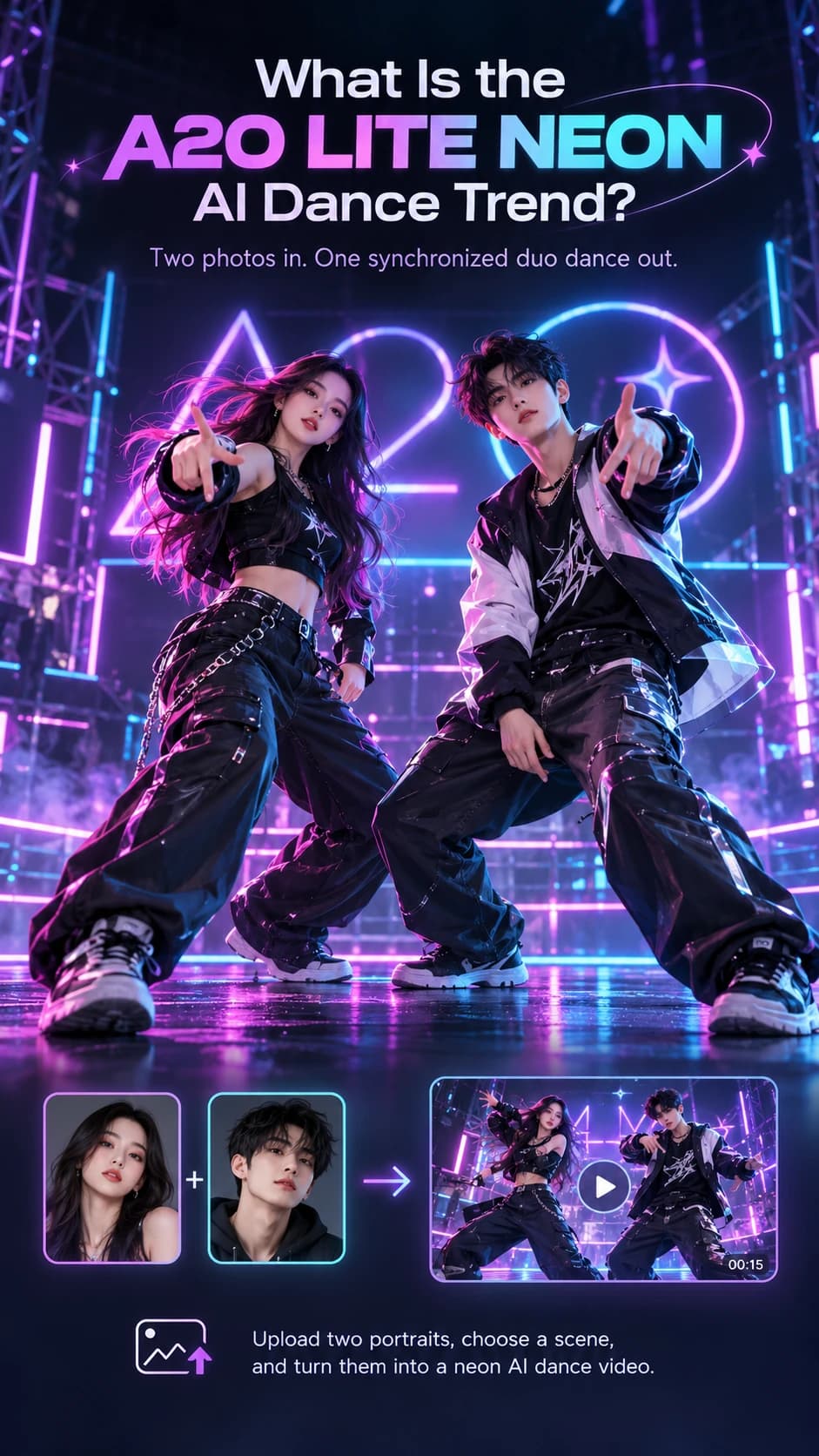
The trend takes inspiration from A2O LITE’s “NEON” dance, turning its coordinated moves into short AI videos. A reference clip guides the choreography, timing, and performer positions; your photos supply the faces and outfits.
You and your friend can start with photos taken in different places. Choose a scene, let AI put you into the dance, and download a clip ready to share or edit. There is no need to film yourselves or learn the steps first.
A NEON AI Dance Generator built around the chemistry of two people.
Each photo guides one subject’s appearance. Generated details can vary.
The same choreography guides both dancers, with coordinated steps and camera framing.
Download a portrait or landscape MP4 in your selected scene’s format, then share it or continue editing in your favorite video app.
Start with a clear photo of each subject. Good lighting and an unobstructed view give AI more useful detail to work with. Your photos can be taken in completely different places.
Read the photo guideUse a separate photo for each dancer or subject, and choose images you have permission to use. Leave group shots out.
Choose a sharp, evenly lit image with the face easy to see. Avoid heavy filters, sunglasses, masks, and blurry crops.
A full-body or knees-up photo gives AI more visual detail to work with. Details outside the photo have to be filled in.
One-time credit packs. No subscription.
480p uses 20 credits · 720p uses 50 credits.
Everything to know before you and your friend take the stage.
Still curious? Get in touchYes. Sign in, upload one photo for each subject, choose an available dance scene or template, and create a 15-second synchronized duo video.
It is an independent tool that turns two individual photos into one synchronized duo dance. Each photo supplies one dancer, while the selected Background guides the scene, movement, and output format. Choose 480p or 720p quality for a 15-second portrait (9:16) or landscape (16:9) video.
Upload one photo per subject, choose a Background, confirm that you have permission to use both photos, and sign in. Review the displayed credit cost and choose Generate duo video. Your completed video appears in My Videos.
Yes. You and your friend can upload separate photos taken in different locations. The NEON AI Dance Generator places both people in a shared dance scene; matching backgrounds in your photos are not required. Choose one of four Background references in Video Settings, or use a dance template to apply its scene.
Yes. Choose one of four Background references in Video Settings or select a dance template. You do not need to learn choreography or record a dance first. The scene and movement follow the chosen reference, and AI results may differ.
This version requires two separate photos, one for each dancer or subject. Use two images you have permission to submit. A group photo or single upload does not replace the two-photo input.
A 480p duo video uses 20 credits; 720p uses 50 credits. Credit packs are one-time purchases with no subscription.
Reserved credits return after a confirmed technical failure. If a submission is uncertain, we check the existing task before another generation or credit return. If saving a finished video fails, we retry storage without purchasing another generation. Read the refund policy.
Uploads and results are stored privately and are not automatically published. Both photos are sent to the AI provider through temporary links. Source photos are scheduled for deletion within 24 hours after completion or failure. Completed videos are available for 7 days.
Download the portrait (9:16) or landscape (16:9) MP4 in the format of your selected scene. Review both likenesses and the movement before posting, follow your platform’s AI disclosure rules, and get permission from both people.
Your friend. Your rhythm. Your NEON moment. Two photos are where it starts.
Create your duo video