Published
Where to Make A2O LITE NEON AI Dance Videos?
Make one online at the A2O LITE NEON AI Dance Generator. Upload two separate photos, choose a dance template and video quality, then create a synchronized 15-second duo video. You do not need to write a prompt.
Open the online generator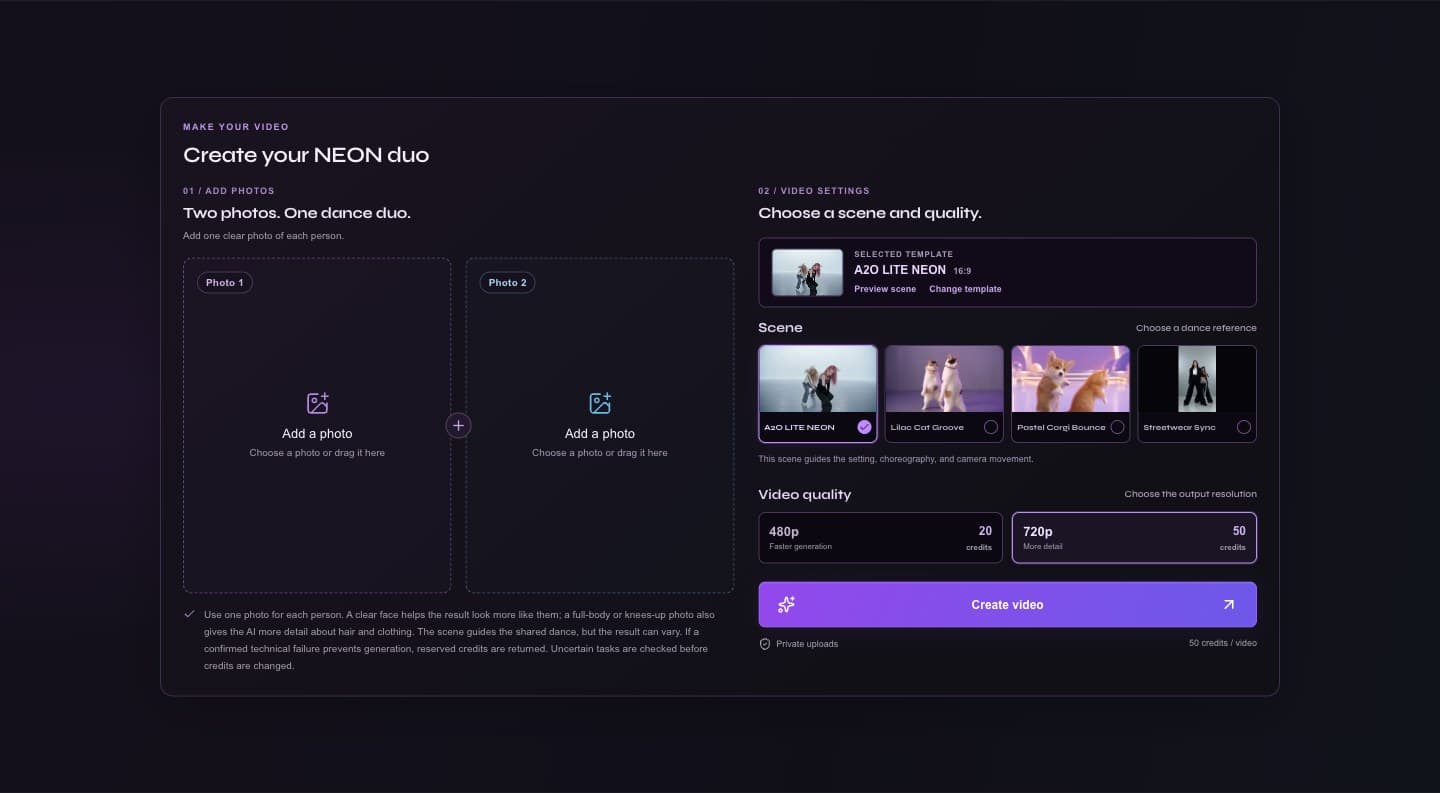
Where can you make an A2O LITE NEON AI dance video?
Open a2oliteneon.com in a web browser and upload two separate photos, one for each person. Choose a template from the Dance Template collection; it comes with a matching scene. In Video Settings, preview that scene or switch to another one, then choose 480p or 720p. The selected scene determines whether the 15-second MP4 is portrait (9:16) or landscape (16:9).
Online tool vs. a typical AI video workflow
| Stage | A2O LITE NEON online | Typical general-purpose workflow |
|---|---|---|
| Inputs | Upload one photo for each person. | Prepare source images and decide how to describe each subject. |
| Dance and scene | Choose a template from the Dance Template collection; it comes with a matching scene and choreography reference. | Choose references or describe the scene and movement yourself. |
| Prompting | No prompt writing is needed for the standard flow. | Prompt-based tools often involve writing and refining instructions. |
| Finishing | Create one duo video, then review and download it from My Videos. | You may need extra generation, timing adjustments, or editing to assemble a duo. |
How to use a2oliteneon.com
Open the generator and sign in
Go straight to the generator. You can review the available scenes first; sign in to submit a generation and use credits.
Add two separate photos
Put one clear photo in each slot. JPG, PNG, and WebP are accepted; each image can be no larger than 10 MB and must be between 256 and 8192 pixels on each side. A sharp face and a full-body or knees-up view give the model more detail.
Choose a template and video quality
Select a dance template from the collection; its matching scene appears in Video Settings. Preview it or choose another scene, then select 480p or 720p. The selected scene determines whether your video is portrait (9:16) or landscape (16:9).
Create, review, and download
Check the displayed credit cost, submit once, and follow the task in the generator or My Videos. When the stored video is ready, preview and download the MP4. The choreography and likeness can vary from the reference and source photos.
Upload only photos you own or have permission to submit, and get consent where required. Do not upload prohibited content. Read the Safety Guidelines.
Can you make it on a phone?
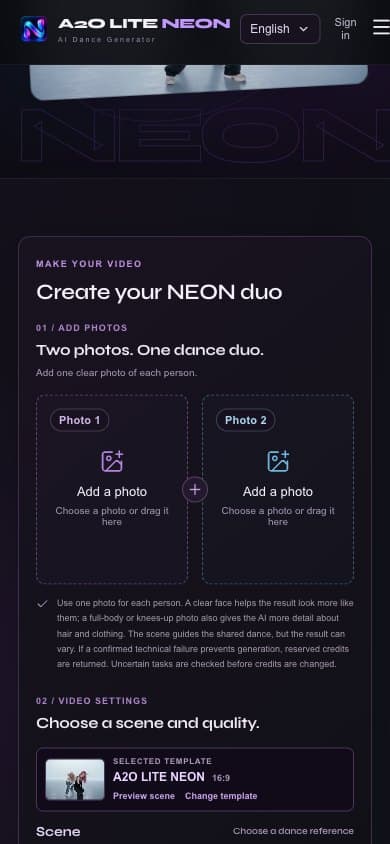
Yes. Open a2oliteneon.com in your phone’s browser, choose two photos from your camera roll, select a dance template and video quality, then create your video on the website. No separate app is needed.
How much does it cost?
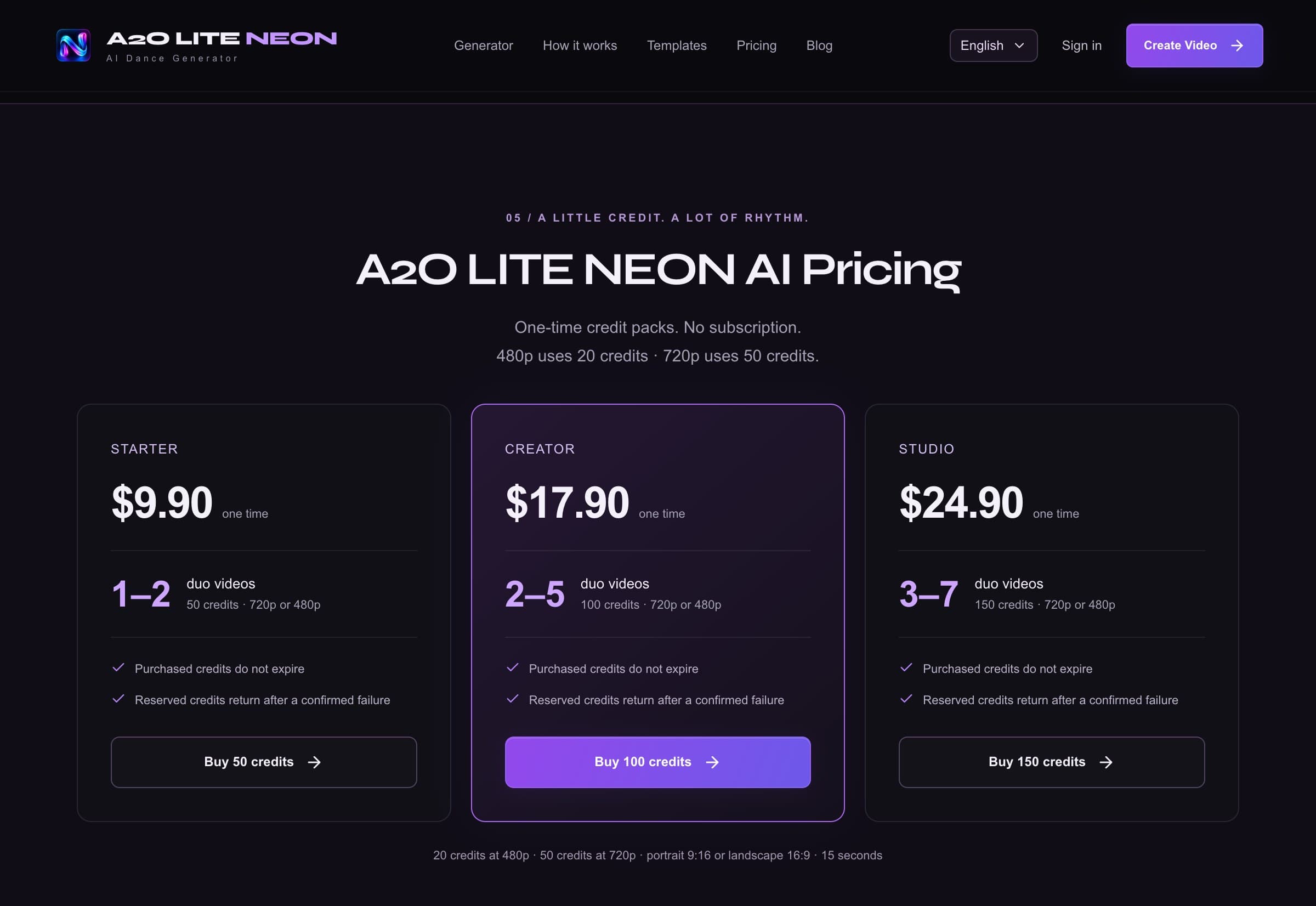
Credit packs are one-time purchases; there is no subscription. Starter costs $9.90 for 50 credits. One 480p video uses 20 credits, and one 720p video uses 50 credits.
Resolution: 480p: 20 credits per video · 720p: 50 credits per video · No prompt required · one-time credit pack
FAQs
Is the A2O LITE NEON AI dance generator free?
You can browse the site and generator for free, but creating a video uses credits. The Starter pack costs $9.90 for 50 credits, paid once.
Can I make an A2O LITE AI dance video on my phone?
Yes. Use the website in your phone’s browser, upload two photos, choose a dance template, and create your video. No separate app is needed.
Can two people appear in one AI dance video?
Yes. Upload one separate photo for each person. A selected dance template guides both subjects through one synchronized duo performance; use photos only with the necessary permission and consent.
Do I need to write an AI video prompt?
No. Choose a dance template and the generator applies its matching scene and choreography settings. You do not need to type a choreography prompt.