
How to Pick the Best Photos for an AI Duo Dance Video
On the A2O LITE NEON AI homepage, our Photo Guide sums up great results in three habits: one subject per photo, a sharp face in even light, and full-body or knees-up framing. This complete guide unpacks why each rule matters during 15-second motion synthesis—with side-by-side good vs. bad examples, duo pairing advice, and a pre-upload checklist.
Why Your Source Photos Matter More Than Anything Else
When you create a 15-second video in the A2O LITE NEON AI Dance Generator, you do not need to write prompts, rig 3D skeletons, or record choreography. The server-owned Background or Dance Template already locks in the studio lighting, camera movement, output aspect ratio (9:16 portrait or 16:9 landscape), and synchronized duo routine.
Your two uploaded portraits supply the visual identity for Performer 1 and Performer 2. Seedance 2.0 Mini reads each photo separately to anchor facial features, hairstyle, proportions, and outfit details across fast side-steps, diagonal turns, and close-up sweeps. Better input detail means far less guesswork—and your two photos can be taken in completely different places, cities, or lighting setups because the generator places both dancers onto one shared stage.
Good vs. Bad Photo Examples: Side-by-Side Breakdown
Compare the four pairs below before uploading. Every example expands directly on the homepage Photo Guide so you can spot common camera-roll pitfalls in seconds.
1. Solo Subject vs. Crowded Group Selfie
Each upload slot maps to exactly one performer on stage. Give Photo 1 and Photo 2 their own solo frames rather than uploading a group shot.
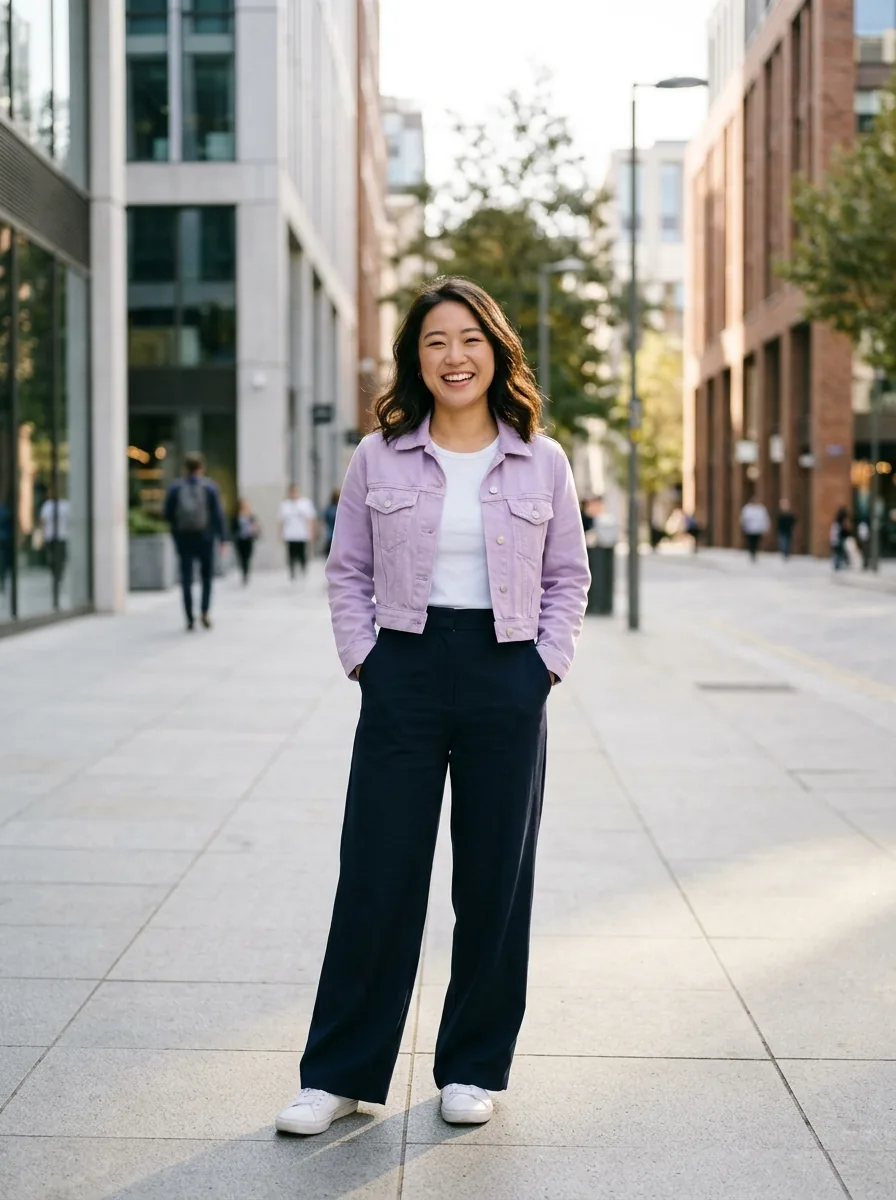 Good photo
Solo portrait with clean separation around shoulders and arms
- Only one person appears in the frame, so the AI locks onto the right subject immediately.
- Clear space around the shoulders and waist keeps the outfit silhouette crisp.
- Even an everyday street background works fine—the stage replaces the background.
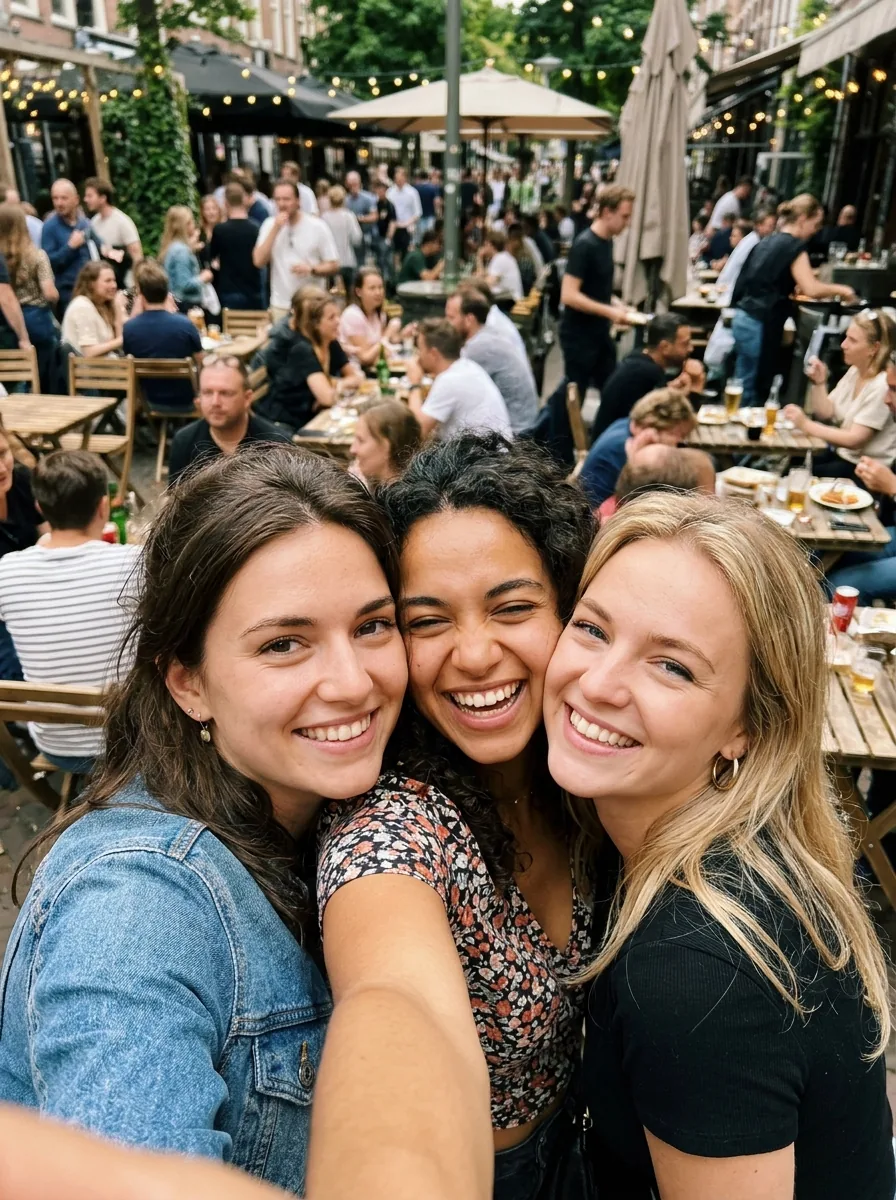 Avoid
Group selfie with overlapping faces, arms, and passersby
- Multiple faces in one slot force the model to guess which person should dance.
- Overlapping arms and shoulders can cause mixed clothing textures or extra limbs.
- A group photo in Slot 1 never replaces uploading two separate solo photos.
2. Sharp, Even Daylight vs. Sunglasses, Backlight & Blur
Synchronized NEON routines include quick head tilts, quarter turns, and foreground close-ups. Clear facial landmarks keep both dancers recognizable from start to finish.
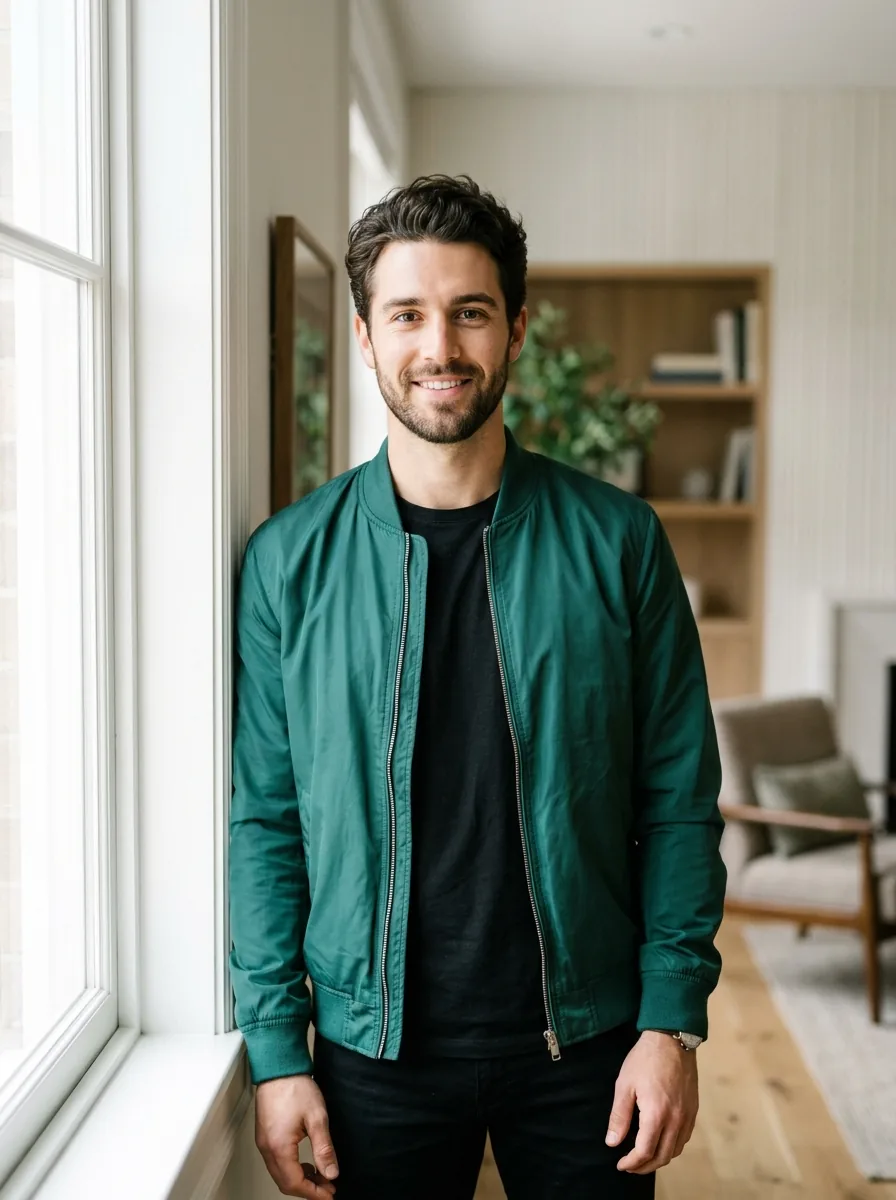 Good photo
Unobstructed face in soft, even natural daylight
- Eyes, eyebrows, nose bridge, and jawline are evenly lit without harsh shadows.
- Natural skin texture without heavy beauty or color-shift filters preserves likeness.
- Looking toward the camera gives balanced left-and-right facial detail during turns.
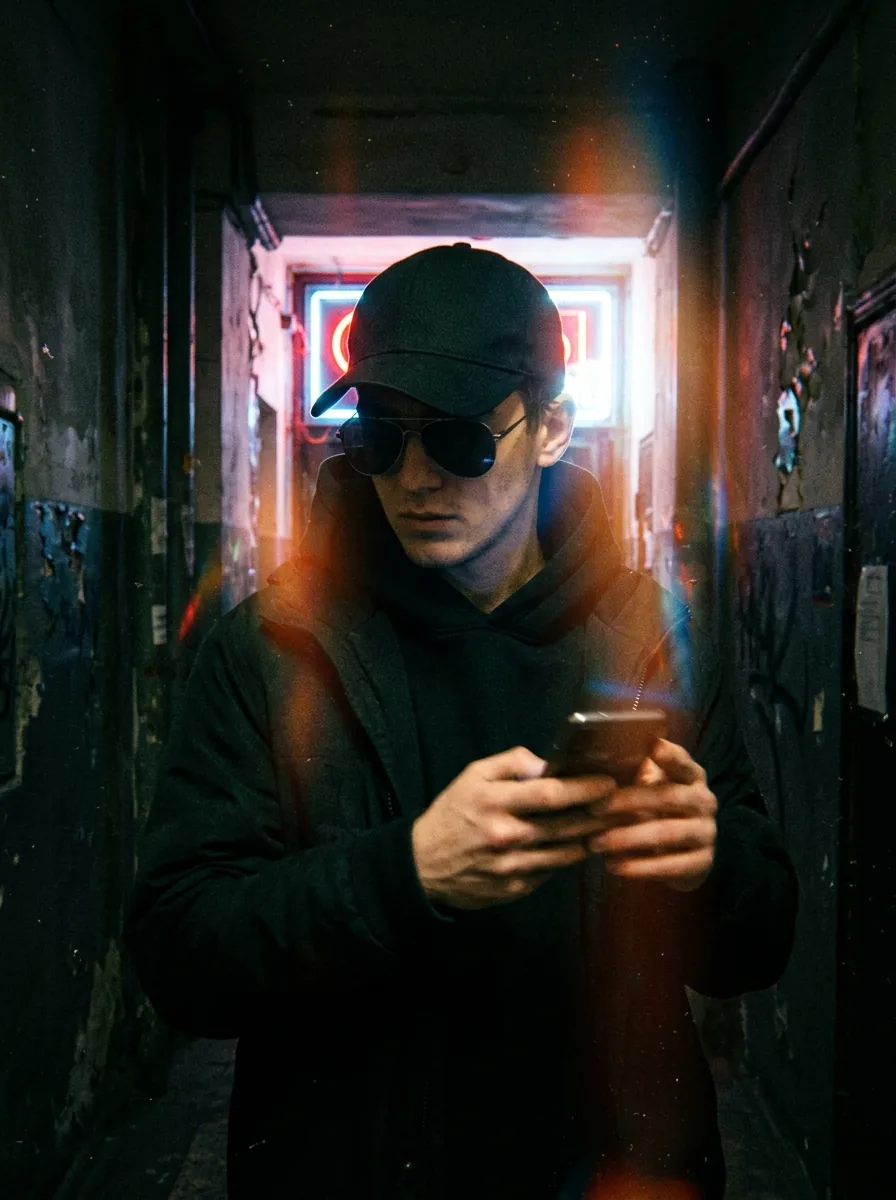 Avoid
Dark sunglasses, low cap shadow, harsh backlight, and motion blur
- Oversized sunglasses and pulled-down brims hide eye shape and brow expressions.
- Strong backlight and motion blur smear facial edges, causing identity drift mid-dance.
- Hands or phones held in front of the chin block lower-face geometry.
3. Full-Body or Knees-Up Framing vs. Extreme Face Crop
Everything outside the border of your photo has to be invented by the model. Showing the torso, arms, and legs anchors real outfits and natural proportions.
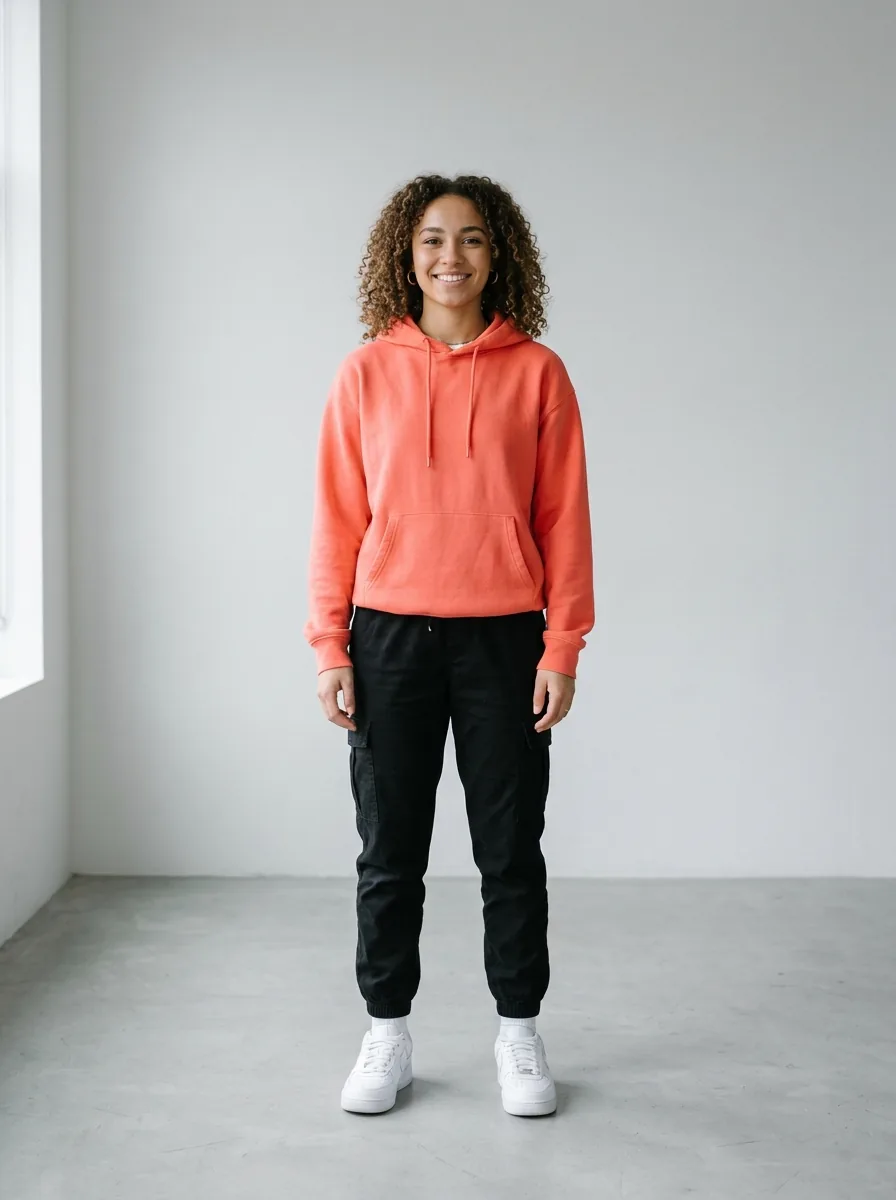 Good photo
Full-body standing shot showing hairstyle, hoodie, pants, and shoes
- Real jacket color, pants cut, and footwear carry straight onto the dance floor.
- Visible shoulders, hips, and knees help synchronized choreography look grounded.
- Relaxed standing posture adapts smoothly to fast K-pop and hip-hop footwork.
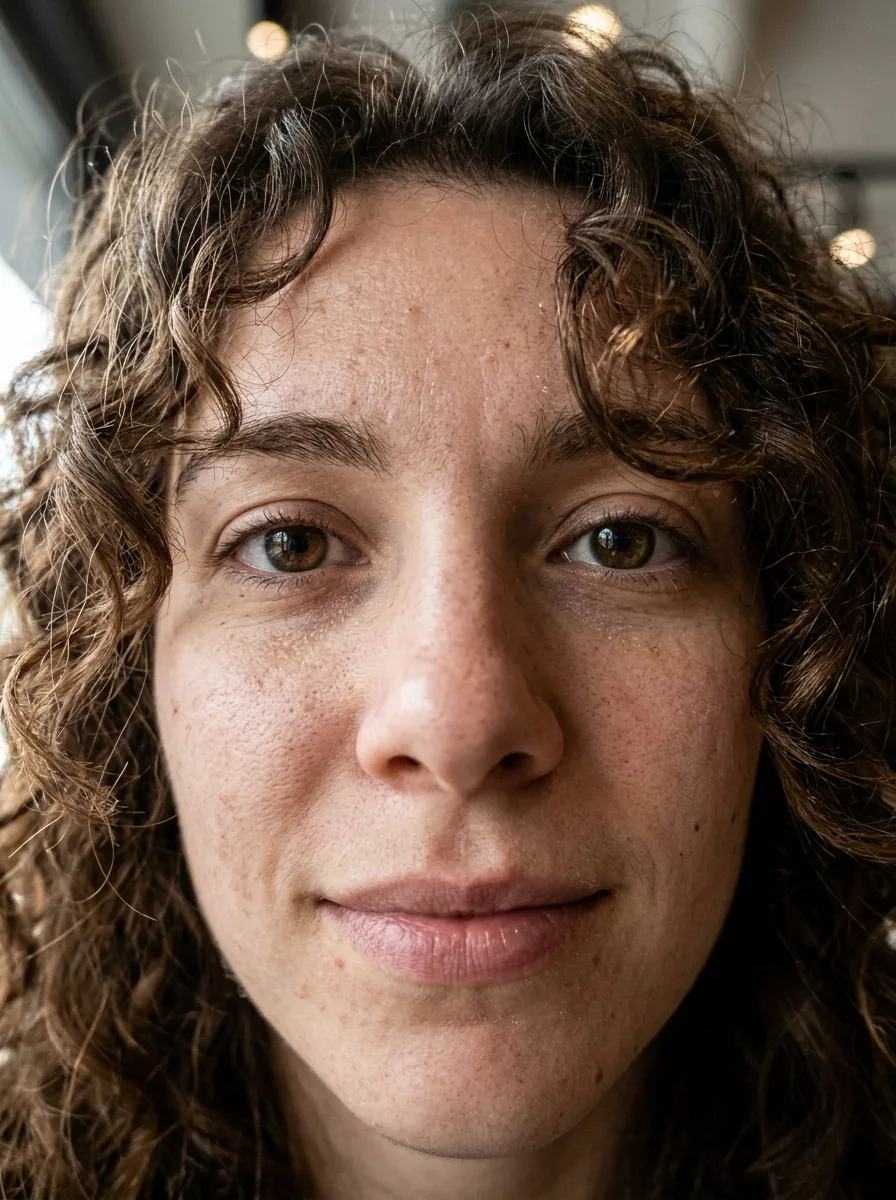 Avoid
Tight chin-to-forehead crop with wide-angle selfie distortion
- Zero clothing or body proportions are visible, forcing AI to invent 85% of the dancer.
- Ultra-close wide-angle lenses exaggerate nose-to-jaw proportions.
- Missing neck and shoulder lines make upper-body groove transitions less stable.
4. Alert, Unobstructed Stance vs. Hidden Limbs & Blankets
Whether your duo features best friends, couples, toddlers, seniors, cats, or dogs, make sure the body and limbs are visible rather than tucked under blankets or behind tables.
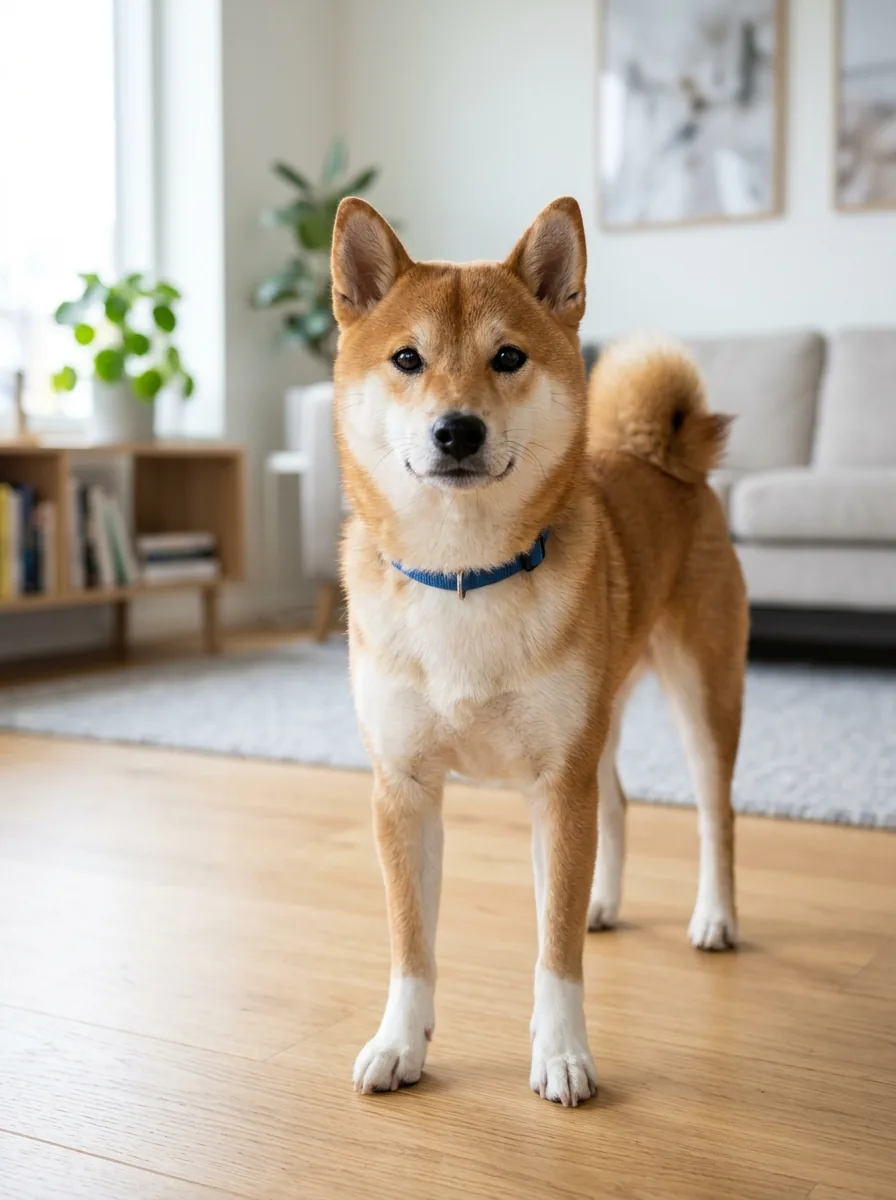 Good photo
Alert front-facing pet portrait with ears, chest, and all paws visible
- Clear ears, fur markings, and paws translate cleanly into upright pet templates.
- Works equally well for kids, seniors, and friends—no adult-only restriction applies.
- Bright indoor light keeps coat colors or fabric patterns true on stage.
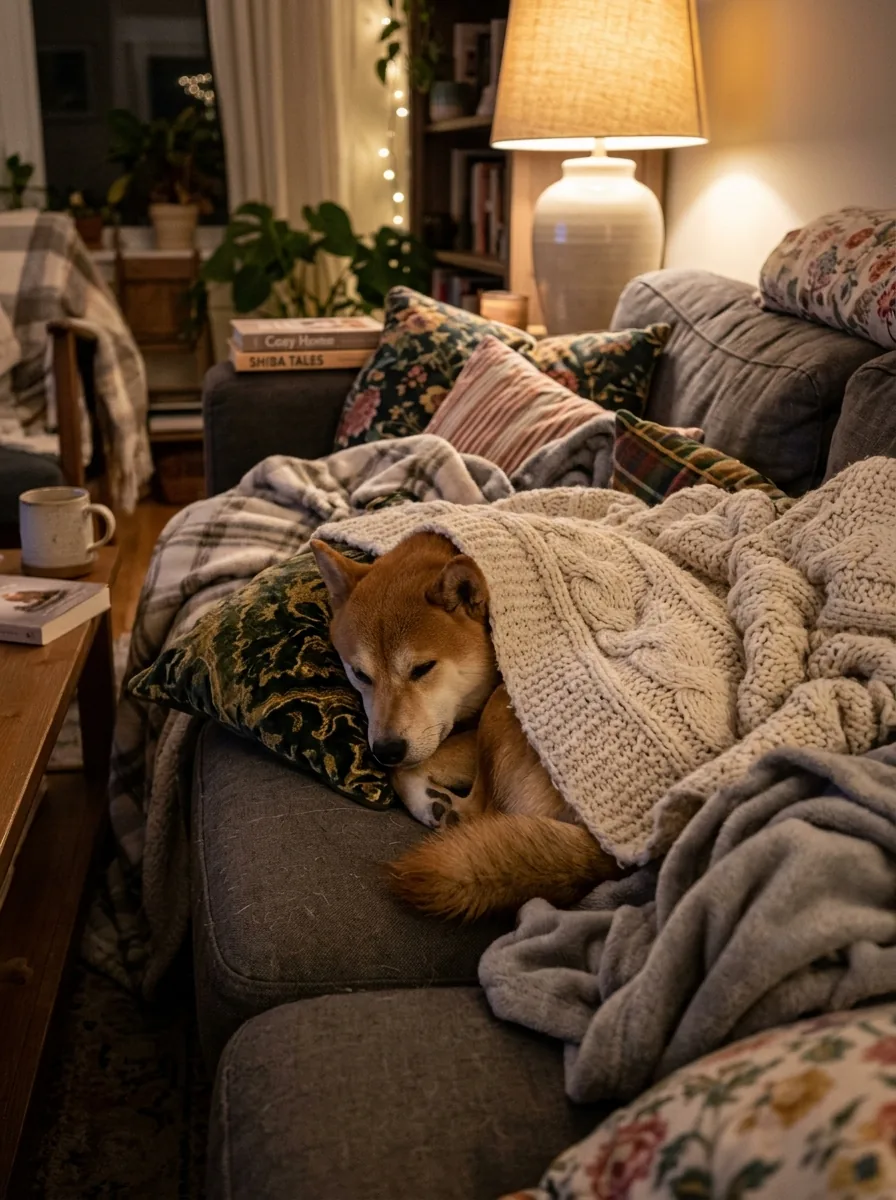 Avoid
Curled-up sleeping pose buried under blankets and pillows
- Blankets, tables, steering wheels, or large bags hide torso and limb boundaries.
- Curled or lying-down angles make upright bipedal dance synthesis much harder.
- Dim warm lamp casts muddy color tints onto white or light fur and clothing.
From Two Good Photos to One 15-Second Duo Video
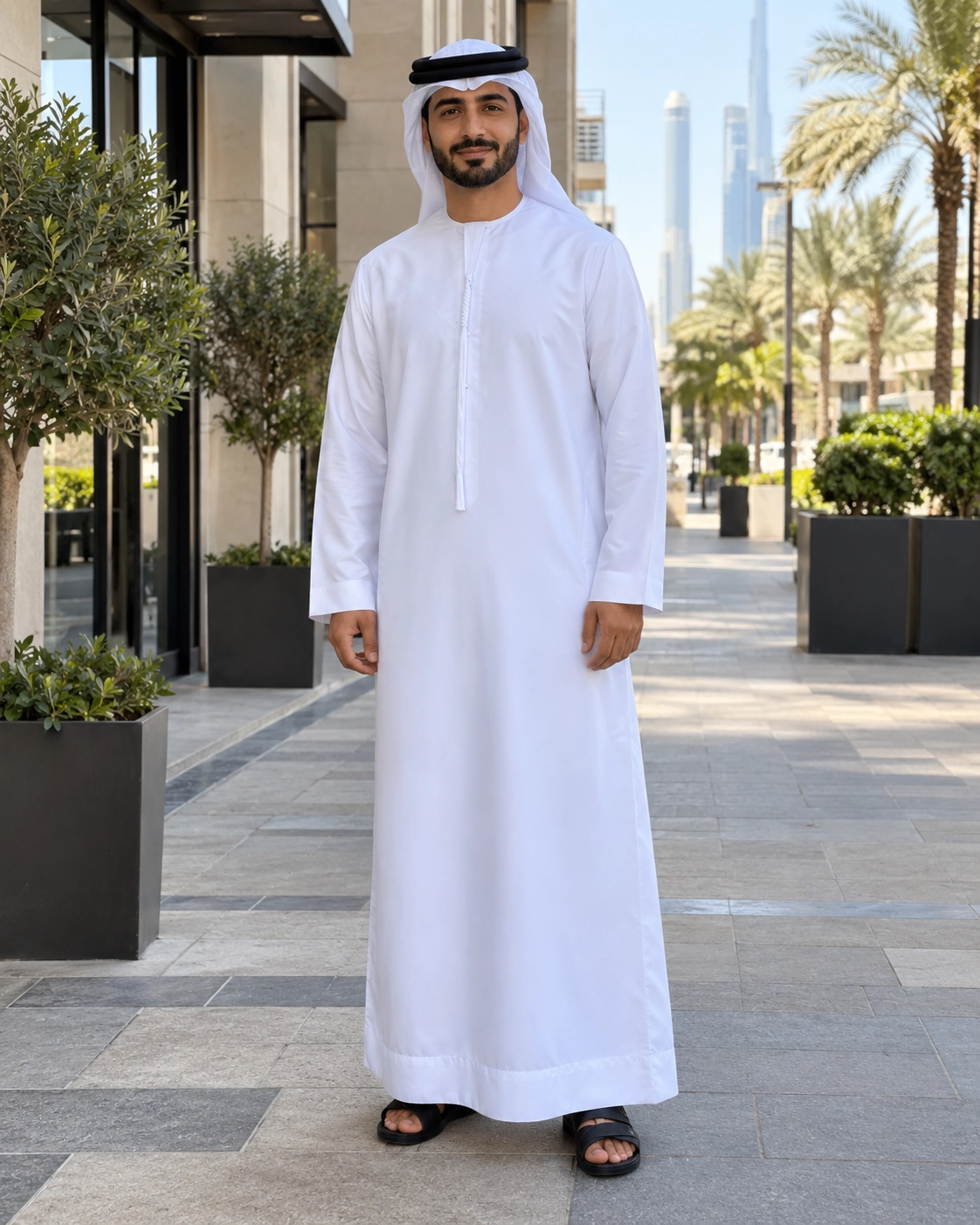
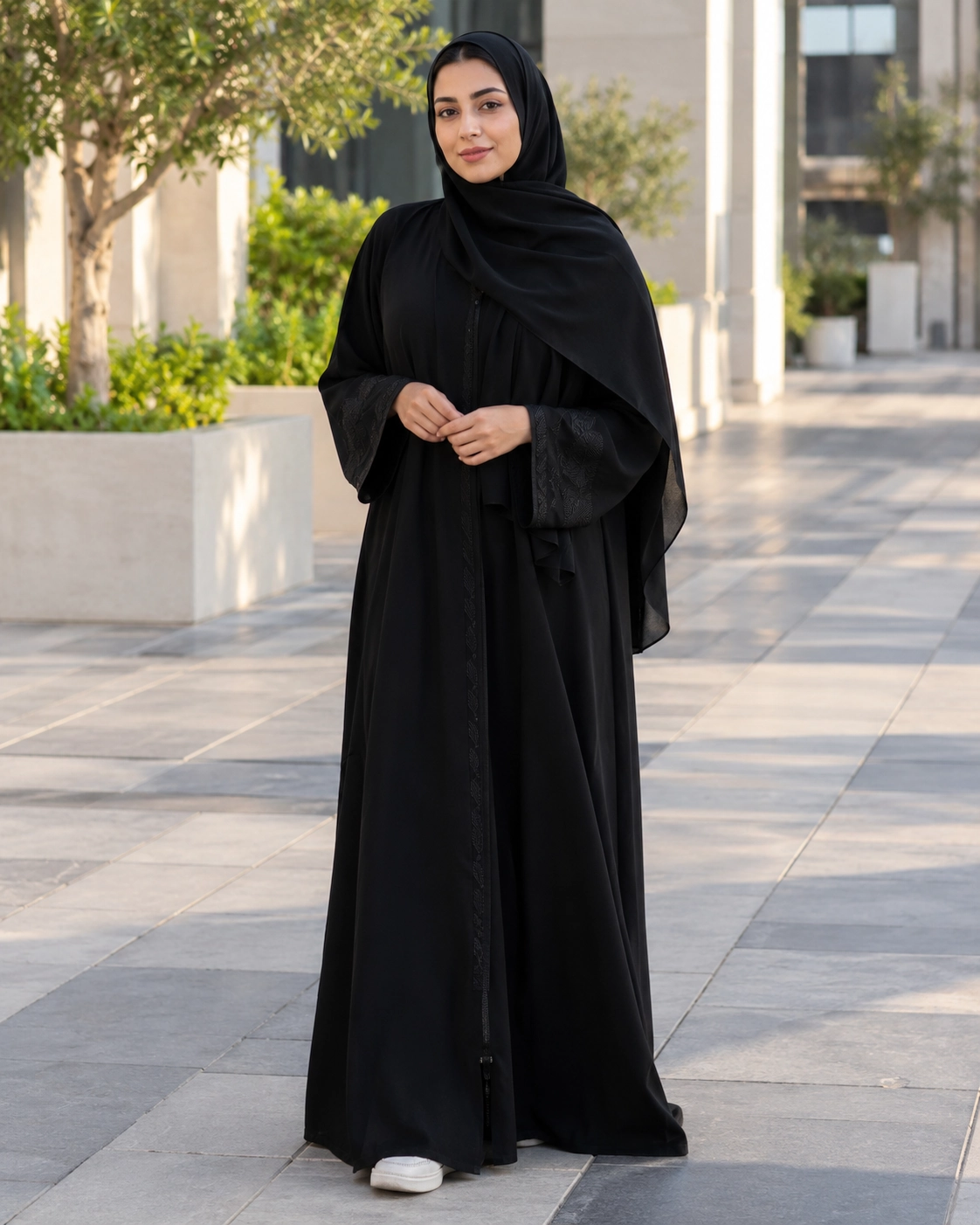
Here is a real workshop output from our Couple Neon Sync case. Both source portraits follow every rule above—solo framing, sharp outdoor daylight, and full-length outfits—allowing the generator to keep each person’s identity and wardrobe distinct across the entire 15-second routine.
How to Pair Photo 1 and Photo 2 for Better Duo Chemistry
Once each individual photo passes the clarity check, a few smart pairing choices make the two dancers look even sharper together on screen:
Different locations are fine—similar framing scale helps
Photo 1 can be snapped in a bedroom in Seoul and Photo 2 on a sidewalk in Madrid. Aim for similar framing (two full-body shots or two knees-up shots) so the AI starts with equally rich outfit detail for both dancers.
Pick contrasting outfit colors for cleaner crossovers
Many NEON templates stack Dancer 1 in front of Dancer 2 or cross them diagonally. Pairing contrasting tones—such as light streetwear with dark denim—keeps both silhouettes easy to read in motion.
Match your duo to the right scene & aspect ratio
Check whether your chosen Dance Template or Background outputs 9:16 portrait (ideal for TikTok, Reels, and Shorts) or 16:9 landscape (wider stage spacing for side-by-side footwork). Use pet templates like Misty Cat Sync or Shades Pup Groove for cats and dogs.
Save credits by testing tricky photos at 480p first
Previewing templates is free. In V1, a 480p generation uses 20 credits while 720p uses 50 credits. If you are unsure how an older camera-roll photo will hold up, test the pair at 480p before rendering your final 720p clip.
Quick Pre-Upload Checklist & Photo Permissions
Run through these six checks right before clicking Create video in the generator:
- Two separate files: Slot 1 has Subject A alone, and Slot 2 has Subject B alone.
- Valid technical format: JPG, PNG, or WebP, under 10 MB each, between 256 px and 8192 px per side.
- Sharp, unobstructed faces: No sunglasses, face masks, heavy beauty filters, or hands covering the jaw.
- Knees-up or full-body view: Shoulders, arms, and core outfit pieces are visible inside the frame.
- Permission & safety: Only upload photos you own or have permission to use (including parent or guardian consent where applicable), and follow our Safety Guidelines.
- Private lifecycle: Uploads stay private; source photos are scheduled for deletion within 24 hours after completion or confirmed failure, and completed videos remain downloadable for 7 days.
Ready to Test Your Two Best Photos?
Pick two clear portraits from your camera roll, preview your favorite 9:16 or 16:9 NEON dance scene for free, and turn them into a 15-second synchronized duo video.
AI Duo Dance Photo Guide FAQ
Do both photos need to be taken in the same place or lighting?
No. Photo 1 and Photo 2 can come from completely different locations, backgrounds, and cameras. The selected Background or Dance Template supplies the shared studio stage and lighting.
Can I still use a half-body portrait if I do not have a full-body shot?
Yes, a waist-up or knees-up photo can still work if the face and shoulders are sharp and well lit. Just keep in mind that any lower-body clothing and shoes outside the frame will be filled in by the AI.
Why can’t I upload one couple or friend photo into a single slot?
V1 is built around two distinct input slots so Performer 1 and Performer 2 keep separate identities throughout the routine. Uploading two individual photos prevents blended faces and mixed outfits.
Can I make a duo video with kids, seniors, or pets?
Yes. There is no adult-only restriction on photo subjects—friends, couples, toddlers, seniors, cats, and dogs all work when each photo clearly shows one subject and you have proper permission to use both images.
What happens to my source photos if a generation fails?
Both source photos remain private and are cleaned up on failures, partial uploads, or within 24 hours after completion. If a confirmed technical failure prevents generation, reserved credits are returned automatically.